Showing posts with label Checkn1x. Show all posts

Install Odyssey on your iPhone / iPad - iOS 13.0 to iOS 13.7


Odyssey!


Many users are not a fan of cydia as its quite old now and is a bit slow. So they want a way out, but jailbreak is what they love!


So Sileo is a perfect solution to their problem! Sileo is an advanced Installer and is really fast!


Odyssey is the latest released jailbreak for iOS 13! Odyssey is compatible with all the versions from iOS 13.0 to 13.7!


So if you have any device with A9, A10, A11, A12 and A13 chip, then you can jailbreak your device if you’re on the compatible iOS version.


NOT SURE IF YOU CAN JAILBREAK OR NOT? THEN CLICK HERE TO CHECK WHETHER YOUR DEVICE IS COMPATIBLE WITH ANY JAILBREAK OR NOT!


So before starting, backing up your device with iTunes or iCloud is a good idea.


After that you’ll have to set up Altstore to enjoy Revoke-Free experience. So for that download Altstore from Windows Software page. After that complete the installation by following this video: 

Watch Now: MacOs Tutorial (Click Here) / Windows Tutorial (Click Here).


After that you need to download the Odyssey IPA file by Clicking here.


BootRa1n

Jailbreak iOS 13? Checkra1n!

So todays post is about BootRa1n, which is an ISO file with enough Linux to run checkra1n on a windows PC/ Laptop. BootRa1n lets you use the latest versions of checkra1n to jailbreak your iDevice. 


CHECKRAIN has the power to even jailbreak the latest iOS 14 beta, but that vesion of checkra1n is not released publicly yet! 

Before we continue further, check whether you can jailbreak using checkra1n by heading over to the CAN I JAILBREAK? page by CLICKING HERE.

Here, you will be able to check whether you can jailbreak using checkra1n or not! and if your device us not compatible with checkra1n, then whether you can jailbreak using any other jailbreak or not!

What is special about BootRa1n? It supports:
  • AMD
  • INTEL
  • 32-bit
  • 64-bit
So it will support almost every Laptop/PC.


So if your device is compatible with checkra1n, then you will need to download a few files:

Once you have download the files, make a bootable flashdrive using Balena Etcher and boot into it.
you might see some options go for GUI one or any of them.
Then enter the login details:
login id: anon
password: voidlinux

After that you will boot into Checkra1n by running this command: sudo checkra1n

Then, connect your device and click on the start button and follow the on-screen instructions to Jailbreak your device.

You can also check out my Video Tutorial on my channel:

(The video used below is from my own channel and my channel has embedding enabled)


Checkn1x V1.1.7 Latest ISO file for Checkra1n on Windows - Jailbreak any iOS version from iOS 12.0 to the latest version of iOS 14. Jailbreak iOS 12.5.4/13.7/14.7.1

Jailbreak iOS 12/13/14? Checkra1n is the best option!

So todays post is about checkn1x, which is only a ~30 MB ISO file to use checkra1n on a windows PC/ Laptop. Checkn1x lets you use the latest versions of checkra1n to jailbreak your iDevice. 


CHECKRAIN has the power to even jailbreak the latest iOS 14 and iOS 14 betas, but that version of checkra1n is only available for A10(x) and below as of now. And support for A11 is limited and requires disabling passcode and Face ID!

Before we continue further, check whether you can jailbreak using checkra1n by heading over to the CAN I JAILBREAK? page by CLICKING HERE.


Here, you will be able to check whether you can jailbreak using checkra1n or not! and if your device is not compatible with checkra1n, then whether you can jailbreak using any other jailbreak or not!

So if your device is compatible with checkra1n, then you will need to download a few files:


Once you have download the files, make a bootable flashdrive using Balena Etcher and boot into it to run Checkra1n and jailbreak your device!

You can also check out my Video Tutorial on my channel:


Follow me on Twitter @iMAT_YouTube and YouTube for more updates!

Translate

Google Search Console

You may also like:

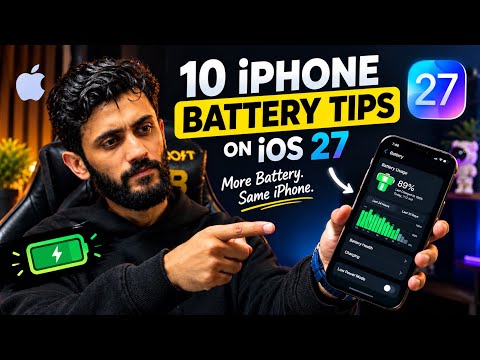
How to Improve iPhone Battery Life on iOS 27 Without Losing Performance

Is your iPhone battery draining faster than expected after updating to iOS 27? You do not necessarily need to sacrifice smooth animatio...

Popular Posts