Showing posts with label iOS 14. Show all posts

Sideloadly - Cydia Impactor Alternative for iOS 7 - iOS 14


 Sideloadly is another Cydia Impactor alternative to install IPA files including hacked games, tweaked apps, Jailbreak apps and many more. There is one feature of its which will allow some users to use it instead of Altstore, It supports every iOS version from iOS 7 to iOS 14 whereas Altstore supports iOS 12.2 or higher.

Sideloadly is more similar to Cydia Impactor in sideloading IPAs, same like Cydia Impactor you have to drag the IPA file on sideloadly tab to sideload it on your iOS device. 

Sideloadly works with both Paid developer account/ Free developer account.

  • Paid developer account lets you sideload the apps for 1 year.
  • Free developer account lets you sideload the apps for 7 days.

Remember whenever you will sideload the apps, it will reset the days count to 7.

Lets look at some of the great features of Sideloadly:
  • Paid Developer Account/ Free Developer Account supported.
  • Save your credentials for quick access.
  • Drag and Drop IPA feature (Like Cydia Impactor)
  • Change the minimum iOS version option.
  • Remove restrictions on the supported idevices.
  • Change the name of the app on your home-screen.
  • Change the bundle-id of the device, which lets you install same app twice or more.
  • Option for Jailbreak only installation.
  • Option for UIFileSharingEnabled
  • Easily download and sideload IPAs directly from the web with URL Scheme.
  • Get Installation logs to easily troubleshoot the errors.
  • You can also suggest them the features you want to see in it.
  • Light Mode/ Dark Mode is also available for macOS.

An important thing to remember is that, on a free developer account, they make a request to their servers to download the necessary data required to sideload the IPAs. This function can be disabled but then sideloadly will only work with paid developer accounts.

It is also recommended to use sideloadly on your extra iTunes account instead of your personal/ main account.

Support:
Sideloadly supports both macOS and Windows. So, if you have a pc/laptop/macbook running any of these OS, then you can use sideloadly. Previously it only supported Windows, but support for macOS was added recently!

DOWNLOAD LINKS: 
USE FACETIME ON UAE iPhones

As you all are aware that FaceTime is banned in UAE. So if you purchased an iPhone from UAE you will not have FaceTime App in it. 


Why was that?


Their laws say that only the government-owned telephone monopoly can provide VoIP communications. 


But we’ve heard some rumours over the last few years that Apple is in talk with the government to lift the ban from FaceTime.


FaceTime was also not available in Saudia Arabia previously, but iOS 11.3 update came with support for FaceTome in iPhones purchased in Saudia Arabia. 


Looks like the good news for the UAE Apple users is also here finally! iOS 13.6 can run FaceTime on UAE devices now. FACETIME support has been added to all UAE devices running iOS 13.6 or higher.


So what you’ll have to do is, Go to Settings App in your iPhone, Go to General and then Software Update. Here you’ll get the OTA update. So, update your devices to the latest versions to enjoy FaceTime.


And, iOS 14 versions also support using FaceTime in UAE iDevices.


When your device turns on after updating, you’ll have have to change the region in your Apple ID settings by going to AppStore, click on your profile at the top right corner. Then click on your account and continue with changing your country/region to US. Also change your region in Settings > General > Region.


Hope this post was helpful, for more updates on Apple, Click here to Subscribe to my YouTube Channel!

HOW TO BACKUP AND RESTORE TWEAKS

In this tutorial i have told you how can you backup your tweaks and restore them later.
Recently unc0ver jailbreak is coming, so i wanted to update to iOS 13.5 but i also wanted to keep my backup. But as you know for updating to IOS 13.5, i would have to restore rootFS, and then update my device, and because of that all tweaks would get uninstalled and i will have to install all of them again.

So, i decided to make a video to show you guys how can you backup your tweaks, then update your iDevice without losing your Jailbreak Setup.

So this video can be used on any jailbreak and on any device. This video is not specifically just for updating your devices, this can also be used to transfer your tweaks setup. And you can also use this video to backup your tweaks and save them in case of any situation that might occur and you might lose your jailbreak.

So, all you will have to do:
  • Install Batchomatic Tweak.
  • Then follow the video on how to backup the tweaks.
  • When you are restoring your tweaks from the backup, you will need to install Filza File Manager.
  • And then follow the video to restore the tweaks.
There are no special repos required to install both of these tweaks. and also, they are absolutely free!

WATCH TUTORIAL:

(The video used below is from my own channel and my channel has embedding enabled)


Translate

Google Search Console

You may also like:

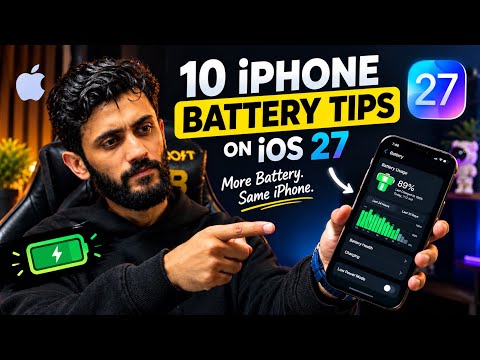
How to Improve iPhone Battery Life on iOS 27 Without Losing Performance

Is your iPhone battery draining faster than expected after updating to iOS 27? You do not necessarily need to sacrifice smooth animatio...

Popular Posts